Introducing Groups, and Eight How-To Workflow Videos
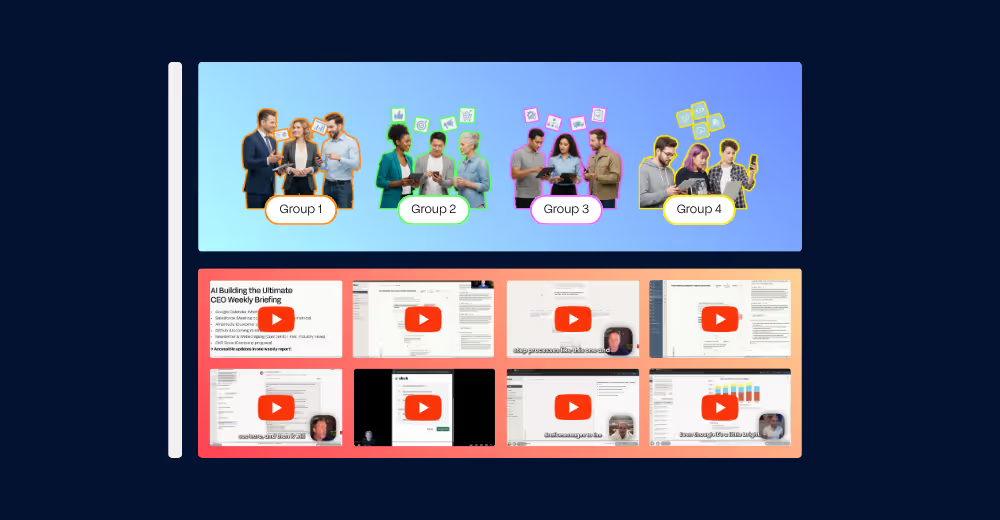
We’ve got a major feature release for you, as well as eight videos showing you how to use AI at work. These include building CEO weekly briefings, reading and sending Slack messages, creating charts, sales research and emailing, and AI assistants that self-improve.
Introducing Groups
elvex is laser focused on building the platform that helps you get broad adoption of AI at your company. Today, we’ve released a new feature that will help you share good workflows, strong data, and more with your team, making enablement at scale dramatically easier. This feature, Groups, allows you to create flexible groupings of people in elvex.
Then, you can share resources with all of these people with one click. This includes assistants, datasources, flows, conversations—anything that you could currently share one person at a time in elvex, you can now share with broad groups.
Quick details:
- Where to find it: To get started, click on the new “Groups” tab on the left-hand side bar.
- Who can make Groups: All user roles except consumer can create Groups.
- Belonging to multiple groups: You can belong to multiple Groups. For example, someone might be in an overall “Sales Team” group. And then they might be in a specific group for a sub-team, such as “Finance Industry Salespeople.” More broad Sales assistants and data would be shared with the broader team, and vertical specific finance sales resources would be shared with the smaller group.
- Bringing Groups from other Identity Provider systems: If you have Groups configured in your SAML provider, your admin can bring those Groups to elvex. Admins, read here for how to do that.
Have ideas for more group-related features? We’d love to hear from you as we develop this area of our product. Start a conversation with us by hitting the “Support” button in the bottom-left corner of your elvex UI.
Eight How-To Workflow Videos
Building the Ultimate CEO Weekly Briefing
Orchestrate multiple sub-agents to analyze meetings, news, and OKRs, delivering a comprehensive brief every Monday morning. Watch the video or download the in-depth guide on how to build this.
Reading, analyzing, and sending Slack messages with AI
Search Slack for information, analyze what you find, and send messages without leaving your browser.
Creating charts from spreadsheet data
Upload a CSV, describe what you want to see, and get customizable visualizations in seconds.
Multistep sales research and emailing AI workflows
Describe what you want, and AI builds multi-step workflows that research prospects and send personalized emails automatically.
Creating high-quality marketing campaigns with AI
Build AI workflows that use your business context to create on-brand, on-strategy marketing campaigns instantly.
AI assistants that improve themselves
Toggle on self-improvement, tell your assistant what you want, and it updates its behavior for next time.
Flow Builder vs OpenAI Agent Builder
One prompt creates powerfully complex AI workflows. Built for mass adoption, not just power users.
Live building AI agents from just a prompt for Ops and HR
Describe a recruiting workflow in plain English and watch AI build it live. No clicks required.
Related posts
.avif)
.avif)
.avif)
Transform your workflows today
Learn how we can help you modernize your business.

