elvex AI Integration: The Complete Enterprise Guide to AI Integration Tools 2026
.avif)
Enterprise AI adoption has reached a critical inflection point. Organizations across industries are implementing AI in their business functions, yet many initiatives fail to deliver expected results. The difference between AI success and failure isn't the technology itself, it's the integration infrastructure that connects AI to your existing business systems.
This is where enterprise AI integration tools like elvex become essential. Organizations are recognizing that seamless integration is the foundation of successful AI deployment. This comprehensive guide explores everything you need to know about elvex AI integration, from fundamental concepts to advanced implementation strategies, helping enterprises overcome integration challenges and unlock the full potential of artificial intelligence.
In this complete guide, you'll discover:
- What enterprise AI integration is and why it matters
- How elvex solves critical integration challenges
- Step-by-step implementation strategies
- Industry-specific use cases and applications
- Security and compliance best practices
- ROI considerations and success metrics
- Future trends shaping AI integration
What is Enterprise AI Integration?
Enterprise AI integration refers to the process of connecting artificial intelligence capabilities with existing business systems, applications, and data sources to create unified, intelligent workflows. Rather than operating as isolated tools, integrated AI systems work seamlessly across your technology stack, including CRM platforms, ERP systems, data warehouses, communication tools, and operational applications.
The Integration Challenge
The challenge is significant. Integration remains the primary barrier to AI adoption, with most enterprise applications still operating in silos. This implementation gap creates bottlenecks that prevent organizations from realizing AI's transformative potential.
Without proper integration, AI systems cannot:
- Access real-time data from multiple sources
- Execute actions across different platforms
- Maintain context across business processes
- Deliver insights where decisions are made
- Scale beyond isolated proof-of-concept projects
What Enterprise AI Integration Tools Provide
Enterprise AI integration tools bridge this gap by providing:
Unified connectivity across multiple platforms and data sources
Automated workflows that eliminate manual data transfer and reduce errors
Real-time data synchronization ensuring AI operates on current information
Secure authentication protecting sensitive business data across integrations
Scalable architecture that grows with your organization's needs
Governance controls maintaining compliance and security standards
Monitoring capabilities tracking performance and identifying issues
Types of AI Integration
Understanding the different types of integration helps organizations plan their strategy:
Application-to-Application Integration: Connecting AI agents with business applications like CRM, ERP, and productivity tools to automate workflows and data exchange.
Data Integration: Linking AI systems with databases, data warehouses, and data lakes to enable intelligent analysis and decision-making based on comprehensive information.
Process Integration: Embedding AI capabilities into existing business processes, from customer service workflows to supply chain operations.
User Interface Integration: Deploying AI agents within the tools users already use, such as Slack, Microsoft Teams, or email platforms, reducing friction and improving adoption.
API Integration: Connecting AI systems with custom applications and proprietary systems through application programming interfaces.
Why elvex Stands Out as an Enterprise AI Integration Platform
elvex has positioned itself as a leader in the enterprise AI integration space by addressing the core challenges that cause most AI projects to fail. The platform combines powerful AI agents with turnkey connections to popular business applications, creating an ecosystem where AI can truly deliver on its promise.
Seamless Integration with your Existing Tech Stack
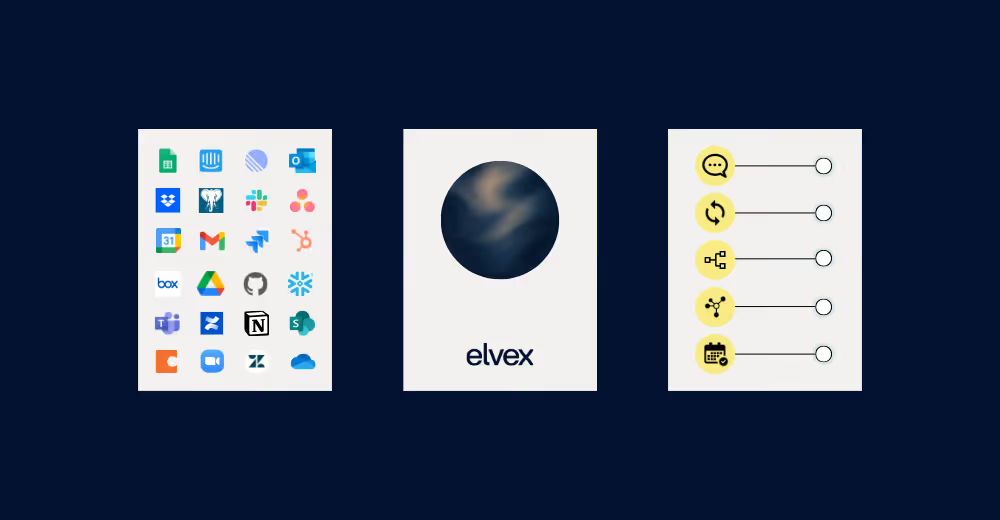
elvex provides pre-built integrations to the tools your team uses every day. From communication platforms like Microsoft Teams and Slack to productivity suites like Google Drive, CRM systems like Salesforce, and email platforms like Gmail, elvex connects to your existing infrastructure without requiring extensive custom development.
This approach eliminates one of the most significant barriers to AI adoption. Instead of spending months building custom integrations or managing fragmented point solutions, organizations can deploy AI-powered workflows in minutes.
Key differentiators:
- 200+ pre-built connectors to popular business applications
- No-code configuration for business users
- Enterprise-grade reliability and uptime
- Automatic updates when integrated systems change
- Support for both cloud and on-premise systems
Explore all available integrations →

Security-First Integration Architecture
Security concerns often slow or stop AI integration projects. elvex addresses this with a comprehensive security framework:
OAuth Integration: Users connect via their own OAuth credentials, preserving existing permissions from destination systems. This ensures that AI agents respect the same access controls already established in your organization.
Human-in-the-Loop Approvals: For sensitive operations that write data to external systems, elvex requires human approval. This allows for modification and quality assurance before AI-initiated changes take effect.
Granular Permission Controls: Administrators maintain precise control over what AI agents can and cannot access, ensuring compliance with security policies and regulatory requirements.
Live-Syncing Data: Connections to data sources are live, eliminating frustrations with outdated data while maintaining security protocols.
Audit Logging: Complete visibility into all AI actions and data access for compliance and troubleshooting.
Deep dive: elvex Security Architecture →
Database Connections for Enterprise-Scale Data
Beyond application integrations, elvex provides powerful database connections that leverage your organization's data warehouses. This capability is critical for enterprises with substantial data infrastructure, enabling AI agents to query, analyze, and act on information stored in enterprise databases without compromising security or performance.
Supported database platforms include:
- Snowflake
- Google BigQuery
- PostgreSQL
- AWS Redshift
- Microsoft SQL Server
- MySQL
- Oracle Database
Connecting elvex to your data warehouse →
Agent-Based Architecture
Unlike traditional integration platforms, elvex uses an agent-based architecture where AI agents are configured with specific capabilities and permissions. This approach provides:
Modularity: Create specialized agents for different functions rather than one monolithic system
Flexibility: Easily modify agent behavior without affecting other integrations
Scalability: Deploy multiple agents across different teams and use cases
Governance: Control exactly what each agent can access and do
How elvex AI Integration Works: From Connection to Automation
Understanding how elvex integrations function helps organizations plan effective AI deployment strategies. The platform follows a structured approach that balances ease of use with enterprise-grade capabilities.
Step 1: Connecting Integrations to Your Organization
Before AI agents can leverage integrations, administrators must enable them at the organizational level. This centralized approach ensures governance and security while giving teams access to the tools they need.
Company administrators navigate to integration settings and enable specific applications based on organizational requirements. This might include productivity tools, CRM systems, project management platforms, or custom applications unique to your business.
Administrative controls include:
- Enabling/disabling specific integrations company-wide
- Setting default permissions and access levels
- Configuring authentication methods
- Establishing approval workflows
- Defining data retention policies
Setting up organization-level integrations →
Step 2: Configuring Agent-Level Integration Access
Once integrations are enabled organizationally, individual agents can be configured with specific integration permissions. This granular approach follows the principle of least privilege, ensuring each AI agent has access only to the integrations necessary for its designated function.
Within the Agent Builder, creators navigate to the Actions tab and select which integrations their agent should access. elvex displays all available integrations along with their action counts, showing how many specific operations are available within each integration.
Configuration options:
- Enable all actions for an integration
- Select specific actions only
- Set read-only vs. read-write permissions
- Configure human-in-the-loop requirements
- Define error handling behavior
Configuring agent integration actions →
Step 3: Enabling Specific Actions
Integration access operates at two levels. You can enable all actions for an integration with a single toggle, or you can selectively enable only specific actions that align with your agent's purpose.
For example, a customer service agent might need read access to customer records in your CRM but not permission to delete data. A sales automation agent might require the ability to create new leads and update opportunities but not access to financial records.
This selective enabling ensures security while maximizing functionality. It also improves agent performance by reducing the cognitive load of unnecessary capabilities.
Common action types:
- Read actions: Get records, search data, retrieve information
- Write actions: Create records, update fields, delete entries
- Execute actions: Trigger workflows, send notifications, run processes
- Query actions: Run reports, analyze data, generate insights
Step 4: Establishing Personal Connections
Individual users must establish personal connections to integrations using their own credentials. This authentication process ensures that when an AI agent performs actions on behalf of a user, it operates within that user's existing permissions.
The connection process varies by integration but typically involves OAuth authentication, API key configuration, or other secure credential management. Once established, these connections enable seamless operation without requiring repeated authentication.
Authentication methods supported:
- OAuth 2.0 (most common for SaaS applications)
- API keys and tokens
- Basic authentication
- Custom authentication schemes
- Single Sign-On (SSO) integration
Step 5: Deploying AI-Powered Workflows
With integrations configured and connections established, AI agents can execute complex workflows that span multiple systems. An agent might retrieve customer information from Salesforce, check inventory levels in an ERP system, send notifications via Slack, and update project status in a management tool, all within a single conversation.
This orchestration capability transforms AI from a novelty into a productivity multiplier, automating tasks that previously required manual intervention across multiple platforms.
Workflow capabilities:
- Multi-step processes across different systems
- Conditional logic based on data retrieved
- Error handling and retry mechanisms
- Parallel execution for efficiency
- Transaction rollback for data integrity
Key Integration Capabilities in elvex
elvex supports a comprehensive range of integration types, each designed to address specific enterprise needs.
Communication Platform Integrations
Slack Integration: Deploy AI agents directly within Slack channels, enabling teams to access AI capabilities without leaving their primary communication tool. Agents can respond to queries, initiate workflows, and provide information in real-time conversations.
Microsoft Teams Integration: Similar to Slack, Teams integration brings AI agents into the collaboration environment where work happens, reducing context switching and improving adoption.
Key features:
- Direct messaging with AI agents
- Channel-based agent deployment
- File sharing and document access
- Notification and alert delivery
- Workflow triggers from conversations
Productivity and Collaboration Tools
Google Drive Integration: AI agents can access, search, and reference documents stored in Google Drive, enabling knowledge retrieval and document-based workflows.
Notion: Access and create pages, databases, and content in Notion workspaces for knowledge management and documentation workflows.
Confluence: Access and search team documentation, wiki pages, and collaborative content stored in Confluence.
Learn more: Notion AI Integration with elvex→
Capabilities include:
- Document search and retrieval
- Content summarization
- Email drafting and sending
- Calendar management
- File organization and tagging
CRM and Sales Platforms
Salesforce Integration: Connect AI agents to customer data, enabling automated lead qualification, opportunity management, and customer service workflows. Agents can retrieve account information, update records, and trigger sales processes based on conversational inputs.
HubSpot Integration: Automate marketing and sales workflows with AI-powered lead nurturing, contact management, and campaign optimization.
Common use cases:
- Lead qualification and scoring
- Contact enrichment and updates
- Opportunity tracking and forecasting
- Customer support ticket management
- Sales activity logging
Deep dive: Salesforce AI Integration with elvex→
Project Management and Collaboration
Asana Integration: Automate task creation, assignment, and tracking based on AI-driven insights and conversations.
Jira Integration: Connect AI agents with development workflows for issue tracking, sprint planning, and project management.
Monday.com Integration: Streamline work management with AI-powered automation and data synchronization.
Customer Support Platforms
Zendesk Integration: Automate ticket creation, routing, and resolution with AI-powered support agents.
Intercom Integration: Enhance customer messaging with intelligent responses and workflow automation.
Custom Application Integrations
Beyond pre-built connectors, elvex supports integration with custom applications through its flexible architecture. Organizations with proprietary systems can extend AI capabilities to their unique technology landscape.
Integration methods:
- RESTful API connections
- Webhook triggers and responses
- Custom connector development
- Middleware integration
- Legacy system adapters
Database Integrations
elvex connects to major database platforms including:
Snowflake: Access cloud data warehouse capabilities for analytics and reporting
Google BigQuery: Query massive datasets for AI-powered insights
PostgreSQL: Integrate with open-source relational databases
AWS Redshift: Connect to Amazon's data warehouse solution
These database connections enable AI agents to perform complex queries, generate reports, and make data-driven decisions based on your organization's complete information landscape.
Database capabilities:
- Natural language to SQL query translation
- Real-time data retrieval
- Scheduled report generation
- Data analysis and pattern detection
- Anomaly alerting
Enterprise AI Integration Use Cases by Industry
Real-world applications demonstrate how elvex integration capabilities solve business challenges across industries.
Financial Services
Compliance and Reporting: AI agents integrated with regulatory databases and internal systems can automate compliance reporting, monitor transactions for suspicious activity, and generate audit trails.
Customer Onboarding: Streamline KYC (Know Your Customer) processes by integrating with identity verification services, document management systems, and CRM platforms.
Portfolio Management: Connect AI agents with market data feeds, portfolio management systems, and communication platforms to provide real-time insights and automated rebalancing recommendations.
Fraud Detection: Integrate with transaction systems, customer databases, and analytics platforms to identify and flag potentially fraudulent activity in real-time.
Real results: Embark's AI transformation at scale →
Healthcare
Patient Data Integration: Connect AI agents with Electronic Health Records (EHR) systems, lab systems, and imaging platforms to provide clinicians with comprehensive patient information.
Appointment Scheduling: Automate scheduling workflows by integrating with calendar systems, patient databases, and communication platforms.
Claims Processing: Streamline insurance claims by connecting AI agents with billing systems, insurance databases, and document management platforms.
Clinical Decision Support: Integrate with medical knowledge bases, patient records, and diagnostic systems to provide evidence-based recommendations.
Regulatory considerations:
- HIPAA compliance requirements
- Patient data privacy protections
- Audit logging and access controls
- Secure data transmission
Media and Advertising
Content Management: Connect AI agents with content libraries, digital asset management systems, and publishing platforms to organize, tag, and distribute media assets efficiently.
Advertising Intelligence: Integrate with advertising databases, campaign management tools, and analytics platforms to track competitor ad spending, media placements, and market trends.
Audience Analytics: Link AI agents with audience data platforms, viewership metrics, and engagement tracking systems to deliver insights on content performance and audience preferences.
Campaign Optimization: Connect with media planning tools, ad networks, and performance tracking systems to optimize ad placement, budgets, and campaign strategies across channels.
Case Study: McClatchy Media's AI transformation →
Technology and Software
DevOps Automation: Connect AI agents with CI/CD pipelines, monitoring tools, and incident management systems to automate deployment and troubleshooting.
Customer Onboarding: Integrate with CRM systems, documentation platforms, and communication tools to streamline new customer setup.
Product Analytics: Link AI agents with usage data, customer feedback systems, and product management tools to derive insights and prioritize features.
Technical Support: Connect with ticketing systems, knowledge bases, and customer databases to provide intelligent support.
Professional Services
Project Management: Integrate AI agents with project management tools, time tracking systems, and billing platforms to automate administrative tasks.
Resource Allocation: Connect with skills databases, project schedules, and availability calendars to optimize team assignments.
Client Communication: Link AI agents with CRM systems, email platforms, and document repositories to streamline client interactions.
Knowledge Management: Integrate with document management systems, expertise databases, and collaboration platforms to capture and share organizational knowledge.
{{integrations-page="/snippet"}}
Human Resources and Employee Support
Recruitment Automation: Connect AI agents with applicant tracking systems, job boards, and communication platforms to streamline hiring workflows.
Employee Onboarding: Integrate with HRIS systems, IT provisioning tools, and learning management platforms to automate new hire processes.
Benefits Administration: Link AI agents with benefits platforms, payroll systems, and employee databases to answer questions and process requests.
Performance Management: Connect with performance review systems, goal tracking tools, and feedback platforms to support continuous improvement.
Common HR workflows:
- Time-off request processing
- Policy question answering
- Benefits enrollment assistance
- Training and development recommendations
- Employee data updates
elvex vs. Other Integration Approaches: Comparison Guide
Understanding how elvex compares to alternative integration approaches helps organizations make informed decisions.
Comparison Table: Integration Approaches
%20(2).avif)
When to Choose elvex
Best for organizations that:
- Need rapid deployment of AI-powered workflows
- Want to empower business users, not just IT
- Require enterprise-grade security without custom development
- Need to integrate AI across multiple systems
- Want to avoid technical debt from custom code
- Require human oversight for sensitive operations
- Need to scale AI initiatives across departments
When to Consider Alternatives
Custom code integration may be appropriate for:
- Highly specialized, unique integration requirements
- Organizations with large development teams
- Situations where complete control is paramount
- Very simple, single-purpose integrations
Traditional iPaaS may be suitable for:
- Organizations without AI requirements
- Simple data synchronization needs
- Legacy system integration without AI enhancement
Point-to-point integrations might work for:
- Very small organizations with minimal integration needs
- Temporary or proof-of-concept projects
- Single-purpose connections
Best Practices for Enterprise AI Integration with elvex
Successful AI integration requires strategic planning and thoughtful implementation. These best practices help organizations maximize value while minimizing risk.
Start with Clear Business Objectives
Before configuring integrations, identify specific business problems you're solving. Vague goals like "use AI" lead to unfocused implementations. Instead, target measurable outcomes such as "reduce customer service response time by 40%" or "automate 60% of routine IT requests."
Clear objectives guide integration selection, ensuring you connect systems that directly support your goals rather than integrating everything available.
Framework for defining objectives:
- Identify pain points in current processes
- Quantify the impact (time, cost, quality)
- Define success metrics
- Prioritize based on business value
- Set realistic timelines
Apply the Principle of Least Privilege
Enable only the integrations and actions each agent truly needs. This security best practice reduces risk while simplifying agent behavior and improving performance.
Review integration permissions regularly, removing access that's no longer necessary as use cases evolve.
Permission review checklist:
- What data does this agent absolutely need?
- What actions must it perform?
- Who should have access to this agent?
- What approval workflows are required?
- How often should permissions be reviewed?
Design for Human Oversight
For workflows that modify data or initiate significant actions, implement human-in-the-loop approval processes. This ensures quality control while building trust in AI systems.
As confidence grows and patterns prove reliable, you can gradually reduce oversight for routine operations while maintaining it for high-stakes decisions.
Recommended approval thresholds:
- Financial transactions above certain amounts
- Customer data modifications
- System configuration changes
- External communications on behalf of the company
- Deletion of records or data
Test Thoroughly Before Production Deployment
Use elvex's agent testing capabilities to validate integration workflows before exposing them to end users. Test edge cases, error conditions, and permission scenarios to ensure robust operation.
Document expected behaviors and create test cases that can be repeated as integrations evolve.
Testing checklist:
- Happy path scenarios
- Error handling and recovery
- Permission boundary testing
- Performance under load
- Data validation and integrity
- User experience and clarity
- Security and compliance verification
Monitor and Optimize Continuously
Track how AI agents use integrations, identifying patterns that indicate opportunities for optimization. Monitor error rates, response times, and user satisfaction to guide improvements.
Use these insights to refine agent instructions, adjust integration configurations, and identify additional automation opportunities.
Key metrics to monitor:
- Integration success/failure rates
- Response time and latency
- User satisfaction scores
- Automation rate (tasks automated vs. manual)
- Cost per transaction
- Error types and frequency
Provide Clear Documentation and Training
Even with intuitive interfaces, users benefit from documentation explaining what AI agents can do and how to interact with them effectively. Create guides that show example queries, explain capabilities, and set appropriate expectations.
Training accelerates adoption and reduces frustration from misunderstandings about agent capabilities.
Documentation components:
- Quick start guides
- Example conversations and queries
- Capability reference
- Troubleshooting guides
- FAQ sections
- Video tutorials
Establish Governance Frameworks
Create policies governing AI agent behavior, data access, and integration usage. Define approval processes for new integrations, establish security requirements, and clarify roles and responsibilities.
Governance prevents ad-hoc implementations that create security risks or compliance issues while enabling innovation within appropriate guardrails.
Governance framework elements:
- Integration approval process
- Security and compliance standards
- Data handling policies
- Roles and responsibilities
- Change management procedures
- Incident response protocols
Plan for Change Management
Technology adoption succeeds or fails based on people, not just systems. Develop a change management strategy that addresses:
Communication: Explain why AI integration is being implemented and how it benefits users
Training: Provide comprehensive training on new capabilities
Support: Offer ongoing assistance during transition
Feedback: Create channels for users to share experiences and suggestions
Champions: Identify and empower advocates within each department
Start Small, Scale Strategically
Begin with a pilot project in a single department or use case. Learn from this experience before expanding to other areas.
Scaling strategy:
- Pilot with one team/use case
- Measure results and gather feedback
- Refine based on learnings
- Expand to similar use cases
- Scale across organization
- Continuously optimize
This approach reduces risk while building organizational confidence and expertise.
Security and Compliance Framework
Security and compliance are paramount in enterprise AI integration. elvex provides comprehensive capabilities to meet stringent requirements.
Data Security Architecture
Encryption: All data is encrypted in transit (TLS 1.3) and at rest (AES-256) to protect against unauthorized access.
Network Security: Integration traffic flows through secure channels with network isolation and firewall protection.
Access Controls: Role-based access control (RBAC) ensures users can only access appropriate integrations and data.
Credential Management: Integration credentials are stored securely using industry-standard secret management practices.
Technical documentation: elvex Security Architecture →
Authentication and Authorization
OAuth 2.0: Industry-standard authentication protocol for secure, delegated access to integrated systems.
Single Sign-On (SSO): Integration with enterprise identity providers (Okta, Azure AD, etc.) for centralized authentication.
Multi-Factor Authentication (MFA): Additional security layer for sensitive operations.
Permission Inheritance: AI agents respect existing permissions from source systems, ensuring consistent access control.
Compliance Capabilities
GDPR Compliance: Data residency options, right to deletion, data portability, and consent management.
HIPAA Compliance: Business Associate Agreements (BAA), audit logging, access controls, and encryption for healthcare data.
SOC 2 Type II: Regular audits and certifications demonstrating security and availability controls.
Audit and Monitoring
Comprehensive Logging: All AI agent actions, data access, and integration calls are logged for audit purposes.
Real-Time Monitoring: Dashboard visibility into integration health, performance, and security events.
Alerting: Automated notifications for security events, errors, or anomalous behavior.
Retention Policies: Configurable log retention to meet compliance requirements.
Data Governance
Data Classification: Tag and classify data based on sensitivity to apply appropriate controls.
Data Lineage: Track data flow across integrations to understand dependencies and impacts.
Data Quality: Validation rules and quality checks to ensure data integrity.
Data Retention: Policies for how long data is stored and when it's deleted.
Incident Response
Detection: Automated monitoring identifies potential security incidents.
Response: Documented procedures for investigating and responding to incidents.
Remediation: Tools and processes to contain and resolve security issues.
Communication: Notification protocols for affected parties and stakeholders.
ROI and Success Metrics for AI Integration
Measuring the return on investment and tracking success metrics ensures AI integration delivers business value.
Cost Considerations
Implementation Costs:
- elvex subscription fees (based on usage and features)
- Initial setup and configuration time
- Training and change management
- Integration customization (if needed)
Ongoing Costs:
- Monthly/annual subscription fees
- Maintenance and optimization time
- Additional integrations as needs grow
- Support and training for new users
Cost Savings:
- Reduced manual labor for repetitive tasks
- Faster process completion times
- Fewer errors requiring correction
- Reduced need for custom development
- Lower integration maintenance burden
ROI Calculation Framework
Formula: ROI = (Total Benefits - Total Costs) / Total Costs × 100
Benefits to quantify:
- Time saved on automated tasks (hours × hourly rate)
- Error reduction (cost of errors × reduction percentage)
- Faster response times (customer satisfaction impact)
- Increased capacity (additional work completed)
- Reduced development costs (vs. custom integration)
Example calculation:
- Annual subscription cost: $50,000
- Implementation cost: $20,000
- Total first-year cost: $70,000
- Time saved: 2,000 hours × $50/hour = $100,000
- Error reduction savings: $30,000
- Total benefits: $130,000
- ROI: ($130,000 - $70,000) / $70,000 = 86%
Key Performance Indicators (KPIs)
Efficiency Metrics:
- Tasks automated per day/week/month
- Average time to complete processes (before vs. after)
- Manual intervention rate
- Processing capacity increase
Quality Metrics:
- Error rate reduction
- Data accuracy improvement
- Consistency of outputs
- Compliance adherence rate
User Adoption Metrics:
- Active users of AI agents
- Queries per user per day
- User satisfaction scores
- Training completion rates
Business Impact Metrics:
- Customer satisfaction (CSAT, NPS)
- Revenue impact (sales cycle time, conversion rates)
- Cost per transaction
- Employee satisfaction and retention
Technical Metrics:
- Integration uptime and availability
- Response time and latency
- Error rates and types
- System scalability
Success Benchmarks by Use Case
Customer Service:
- 40-60% reduction in response time
- 30-50% reduction in ticket volume
- 20-30% improvement in CSAT scores
- 50-70% of routine queries automated
Sales Enablement:
- 20-30% reduction in sales cycle length
- 15-25% increase in conversion rates
- 40-60% reduction in administrative time
- 30-50% improvement in data accuracy
IT Service Management:
- 50-70% of routine requests automated
- 60-80% reduction in resolution time for common issues
- 30-40% reduction in ticket backlog
- 25-35% improvement in employee satisfaction
Data Analysis:
- 70-90% reduction in report generation time
- 50-70% increase in data accessibility
- 40-60% more insights generated
- 30-50% improvement in decision-making speed
Measuring Time to Value
Track how quickly your organization realizes benefits from AI integration:
Phase 1 (Weeks 1-4): Initial setup and pilot deployment
- Metric: Time from purchase to first agent deployed
- Target: 2-4 weeks
Phase 2 (Weeks 5-12): Pilot optimization and expansion
- Metric: Time to achieve 50% of target automation rate
- Target: 8-12 weeks
Phase 3 (Weeks 13-26): Full deployment and scaling
- Metric: Time to full organizational rollout
- Target: 6 months
Phase 4 (Ongoing): Continuous optimization
- Metric: Quarterly improvement in key metrics
- Target: 10-20% improvement per quarter
Overcoming Common Enterprise AI Integration Challenges
Even with powerful platforms like elvex, organizations encounter challenges during AI integration projects. Understanding these obstacles and their solutions accelerates success.
Challenge: Data Silos and Inconsistent Formats
The Problem: Enterprise data often exists in multiple systems with different formats, schemas, and quality levels. AI agents struggle when customer information in your CRM doesn't match records in your ERP system.
The Solution: Implement data governance practices that establish standards for critical data elements. Use elvex's integration capabilities to create unified views that reconcile differences across systems. Start with high-value data domains like customer information before expanding to other areas.
Action steps:
- Audit current data sources and identify inconsistencies
- Define master data management strategy
- Implement data quality rules in elvex integrations
- Create data transformation logic to standardize formats
- Monitor data quality metrics continuously
Challenge: Legacy System Limitations
The Problem: Older systems may lack modern APIs or integration capabilities, making them difficult to connect with AI platforms.
The Solution: elvex's database integration capabilities can often access legacy systems through their underlying databases, even when application-level APIs don't exist. For systems without database access, consider middleware solutions that expose legacy functionality through modern interfaces.
Strategies:
- Direct database connections for read access
- Middleware or API gateways for write operations
- Screen scraping for systems without any integration options
- Gradual migration to modern alternatives
- Hybrid approaches combining multiple methods
Challenge: Security and Compliance Concerns
The Problem: Regulatory requirements and security policies may restrict how AI can access and use certain data.
The Solution: Leverage elvex's OAuth integration and permission inheritance to ensure AI operates within existing security frameworks. Implement human-in-the-loop approvals for sensitive operations. Work with compliance teams early in the planning process to address concerns before they become blockers.
Best practices:
- Conduct security assessment before implementation
- Document data flows and access patterns
- Implement role-based access controls
- Enable audit logging for all AI actions
- Regular compliance reviews and updates
Challenge: User Adoption and Change Management
The Problem: Employees may resist AI-powered workflows, preferring familiar manual processes.
The Solution: Start with use cases that clearly reduce frustration rather than replacing jobs. Involve end users in agent design, incorporating their feedback to create tools they find genuinely helpful. Celebrate early wins and share success stories to build momentum.
Adoption strategies:
- Identify and empower champions in each department
- Provide comprehensive training and support
- Communicate benefits clearly and consistently
- Start with pain points users want solved
- Gather and act on user feedback
- Recognize and reward early adopters
Challenge: Integration Maintenance and Updates
The Problem: External systems change their APIs, breaking integrations and requiring ongoing maintenance.
The Solution: elvex manages many integration updates automatically, but establish processes for monitoring integration health and responding to issues. Subscribe to update notifications from integrated platforms and test changes in non-production environments before deploying to users.
Maintenance framework:
- Automated monitoring and alerting
- Regular health checks and testing
- Staged rollout of updates
- Rollback procedures for issues
- Documentation of customizations
- Vendor communication channels
Challenge: Scaling Across the Organization
The Problem: What works for a pilot project may not scale to enterprise-wide deployment.
The Solution: Plan for scale from the beginning. Design agents and integrations with reusability in mind. Establish governance frameworks that can accommodate growth. Use elvex's agent templates and configuration management to deploy consistently across teams.
Scaling considerations:
- Performance under increased load
- Governance and approval workflows
- Training and support capacity
- Cost management at scale
- Organizational change management
- Technical architecture scalability
Challenge: Measuring and Demonstrating Value
The Problem: Difficulty quantifying the impact of AI integration can lead to reduced support and investment.
The Solution: Establish clear metrics before implementation and track them consistently. Use elvex's analytics and reporting capabilities to demonstrate value. Share success stories and quantified results with stakeholders regularly.
Measurement approach:
- Define baseline metrics before implementation
- Track leading and lagging indicators
- Create executive dashboards
- Document case studies and testimonials
- Calculate and communicate ROI
- Tie results to business objectives\
The Future of Enterprise AI Integration
The enterprise AI integration landscape continues to evolve rapidly. Understanding emerging trends helps organizations prepare for what's next.
Agentic AI and Autonomous Workflows
Advanced AI systems are moving beyond simple request-response patterns to proactive, autonomous operation. These agentic AI capabilities don't just respond to requests but proactively identify opportunities and execute multi-step workflows without human intervention.
Future capabilities:
- Proactive problem identification and resolution
- Self-optimizing workflows that improve over time
- Multi-agent collaboration for complex tasks
- Autonomous decision-making within defined parameters
- Predictive automation based on patterns
elvex is positioned to support this evolution, with integration capabilities that enable agents to orchestrate complex processes across multiple systems autonomously.
Standardization Through Integration Protocols
Industry standardization efforts are creating common approaches to AI integration, reducing complexity and improving interoperability across platforms. This standardization will make it easier for organizations to connect AI systems with their existing technology infrastructure.
Emerging standards:
- Model Context Protocol (MCP) for AI integration
- OpenAPI specifications for consistent API design
- Industry-specific data exchange standards
- Security and authentication protocols
- Governance and compliance frameworks
Increased Emphasis on Data Integration
Organizations increasingly recognize that integration with organizational data systems is essential for AI agent success. This recognition is driving investment in comprehensive integration platforms that unify access to CRM, ERP, data lakes, and other critical systems.
elvex's approach of combining application integrations with database connections positions it well for this trend, providing the comprehensive data access AI agents need to deliver value.
Data integration trends:
- Real-time data streaming and processing
- Unified data fabrics across systems
- Data mesh architectures for decentralized access
- Enhanced data quality and governance
- Privacy-preserving data integration techniques
Low-Code and No-Code Integration Tools
As AI democratizes across organizations, integration tools are becoming more accessible to non-technical users. elvex's visual configuration interfaces and pre-built connectors exemplify this trend, enabling business users to create AI-powered workflows without extensive coding.
Democratization benefits:
- Faster time to value
- Reduced IT bottlenecks
- Business user empowerment
- Increased innovation
- Lower total cost of ownership
AI-Powered Integration Management
Future integration platforms will use AI to optimize their own operations, automatically detecting issues, suggesting improvements, and adapting to changing conditions. This meta-application of AI will make integration management more efficient and reliable.
Self-optimizing capabilities:
- Automatic error detection and resolution
- Performance optimization recommendations
- Predictive maintenance for integrations
- Intelligent routing and load balancing
- Anomaly detection and alerting
Vertical-Specific Integration Solutions
As AI integration matures, industry-specific solutions will emerge that address unique requirements and workflows in healthcare, financial services, manufacturing, and other sectors.
Industry specialization:
- Pre-configured agents for common use cases
- Industry-specific compliance and security
- Vertical data models and schemas
- Specialized connectors for industry systems
- Best practice templates and frameworks
Edge AI and Distributed Integration
Integration will extend beyond cloud systems to edge devices and distributed architectures, enabling AI capabilities closer to where data is generated and decisions are made.
Edge integration scenarios:
- Manufacturing floor automation
- Retail point-of-sale intelligence
- Healthcare bedside decision support
- Field service optimization
- IoT device orchestration
Frequently Asked Questions (FAQ)
General Questions
What is AI integration?
AI integration is the process of connecting artificial intelligence systems with existing business applications, databases, and workflows to enable AI agents to access data, perform actions, and automate processes across your technology stack.
Why is integration important for AI success?
Without integration, AI systems operate in isolation and cannot access the data they need or take actions in the systems where work happens. Integration transforms AI from a standalone tool into a business capability that enhances existing processes.
How is elvex different from other integration platforms?
elvex is purpose-built for AI integration with an agent-based architecture, pre-built connectors to 2,000+ applications, no-code configuration, and enterprise-grade security. Unlike traditional integration platforms, elvex is designed specifically for AI workflows and includes features like human-in-the-loop approvals and natural language interaction.
Do I need technical skills to use elvex?
No. elvex is designed for business users with no-code configuration interfaces. While technical expertise can be helpful for advanced customizations, most integration tasks can be completed by business users with appropriate training.
How long does it take to implement elvex?
Initial setup can be completed in days, with pilot deployments typically running within 2-4 weeks. Full organizational rollout usually takes 2-3 months depending on scope and complexity.
Integration Questions
What systems can elvex integrate with?
elvex provides pre-built integrations to 2,000+ applications including Salesforce, Microsoft 365, Google Workspace, Slack, Zendesk, and major database platforms. Custom integrations can be built for proprietary systems.
Can elvex integrate with legacy systems?
Yes. elvex can connect to legacy systems through database integrations, APIs (if available), or middleware solutions. Many organizations successfully integrate AI with decades-old systems.
How do I connect elvex to my database?
elvex supports direct connections to major database platforms including Snowflake, BigQuery, PostgreSQL, Redshift, and SQL Server. Configuration typically involves providing connection credentials and selecting which tables/views to make available.
Tutorial: Database connection setup →
Can integrations write data back to my systems?
Yes. elvex integrations support both read and write operations. You can configure which actions are allowed and implement human-in-the-loop approvals for sensitive write operations.
What happens if an integrated system changes its API?
elvex manages updates to pre-built integrations automatically. You'll be notified of any changes that might affect your agents, and can test updates before deploying to production.
Security and Compliance Questions
How does elvex ensure data security?
elvex uses encryption in transit and at rest, OAuth authentication, role-based access controls, audit logging, and other enterprise-grade security measures. All integrations respect existing permissions from source systems.
Is elvex compliant with GDPR, HIPAA, and other regulations?
Yes. elvex provides capabilities to support GDPR, HIPAA, SOC 2, and other compliance frameworks. Specific compliance requirements should be reviewed with your security and legal teams.
Who can access data through elvex integrations?
Only users with appropriate permissions can access data through elvex. The platform uses OAuth to ensure AI agents operate within each user's existing permissions from integrated systems.
Can I control what AI agents are allowed to do?
Yes. Administrators have granular control over which integrations each agent can access and which specific actions are permitted. Human-in-the-loop approvals can be required for sensitive operations.
How long is data retained in elvex?
Data retention policies are configurable based on your requirements. elvex can be configured to retain data for audit purposes or delete it immediately after processing.
Conclusion: Integration is the Foundation of AI Success
The promise of enterprise AI is immense, but that promise remains unfulfilled without robust integration capabilities. As organizations navigate the complex landscape of AI adoption, platforms like elvex provide the integration infrastructure necessary to transform AI from experimental technology into business-critical capability.
By connecting AI agents to the systems where work actually happens, elvex enables organizations to automate workflows, democratize data access, and augment human capabilities at scale. The platform's security-first approach, comprehensive connector library, and flexible architecture address the integration challenges that cause most AI projects to fail.
Key takeaways from this guide:
✅ Integration is essential - AI cannot deliver value in isolation from business systems
✅ elvex simplifies complexity - Pre-built connectors and no-code configuration accelerate deployment
✅ Security is built-in - Enterprise-grade security and compliance capabilities protect your data
✅ Start strategically - Begin with clear objectives and high-value use cases
✅ Scale systematically - Pilot, learn, refine, then expand across the organization
✅ Measure continuously - Track metrics to demonstrate value and guide optimization
✅ Plan for the future - AI integration capabilities will continue to evolve and expand
The integration market is growing rapidly, and enterprises increasingly recognize integration as essential for AI success. Organizations that master integration will gain significant competitive advantages. The question isn't whether to invest in enterprise AI integration, it's how quickly you can deploy the capabilities that will define success in an AI-powered future.
elvex provides the answer, offering a proven platform that turns integration complexity into competitive advantage. Whether you're just beginning your AI journey or scaling existing initiatives, elvex AI integration capabilities provide the foundation for sustainable, secure, and successful AI deployment.
Your next steps:
- Review your current integration challenges and opportunities
- Identify high-value use cases for AI integration
- Explore elvex capabilities and available integrations
- Develop a business case and implementation plan
- Start with a pilot to prove value
- Scale successful use cases across your organization
Ready to unlock the full potential of enterprise AI? Explore elvex integrations and discover how seamless connectivity transforms AI from promise to performance.

Related posts
.avif)
Transform your workflows today
Learn how we can help you modernize your business.

